


ARTA: AI Art & Photo Generator
4.22.11K Reviews
App Specs
- Version
- 3.36.5
- Updated On
- License
- Free
- Downloads
- 1,000,000+
- Developer
- AIBY Inc.
- Categories
- Art & Design
- Platform
- Android, iOS
Screenshots
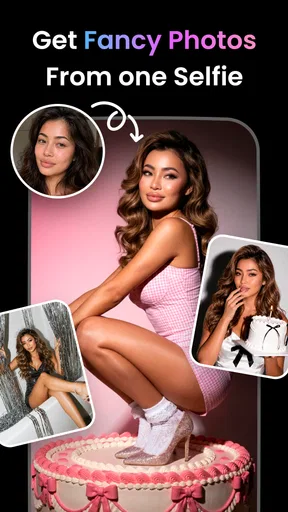
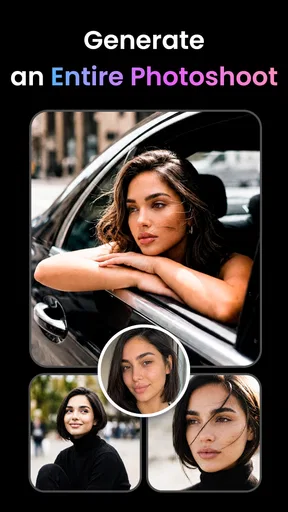
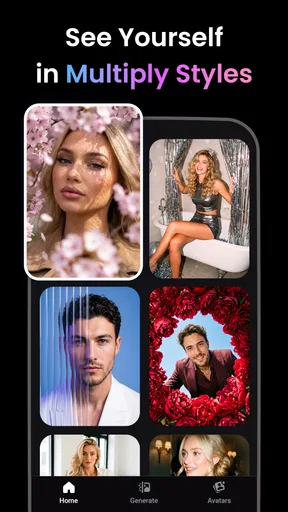
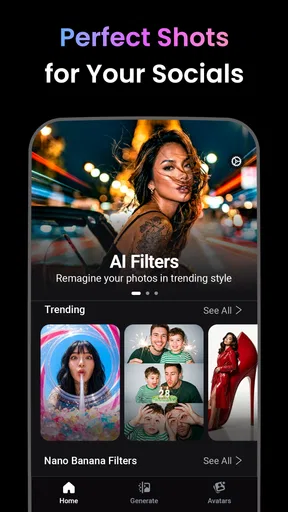
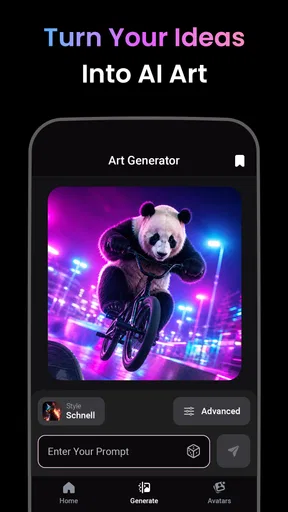
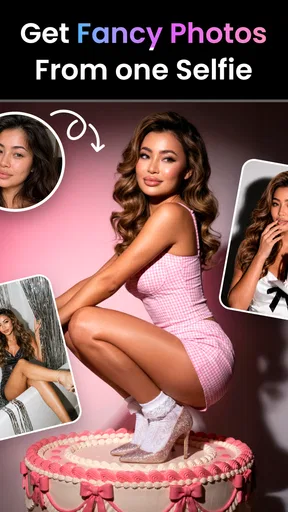
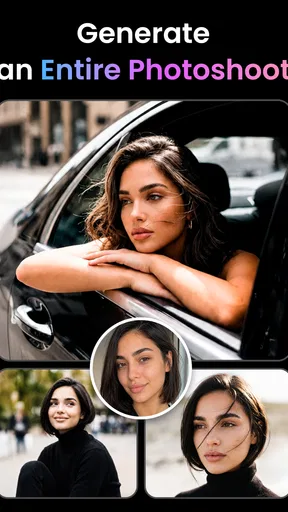
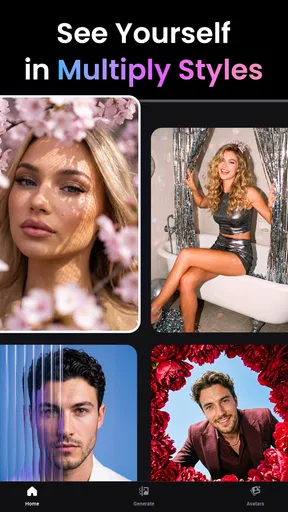
 Analysis by AppCompare
When I want a quick visual idea rather than a blank canvas, I start with a photo or a clear concept and see how an AI art app interprets it. ARTA: AI Art & Photo Generator is built for that kind of experiment: it turns a starting image or prompt into artwork, portraits, tattoo concepts, cartoons, and other visual treatments. I find it most useful when I want options to react to, not when I need precise control over every line.
That distinction matters before you install it. ARTA is an art and design app from AIBY Inc., and its appeal is the short distance between an idea and an image worth saving or sharing. It is free to download, rated for Everyone, and has a 4.2 average from around 36,000 ratings, with over a million installs. The current version is 3.30.5, and it requires Android 11 or later. In-app purchases range from $0.99 to $49.99 per item, so I would treat the free starting point as a way to judge whether its creative workflow suits you before spending.
From a rough idea to a usable image
I find the best way to approach ARTA is to treat the first image as a draft, not a verdict on the idea. In this section, I’ll focus on how a clear starting point and a small, deliberate change can make the experiment easier to judge. That mindset also helps when deciding whether the result is ready to share or needs a handoff to another tool.
Choosing the right starting point
My first practical decision is whether to begin with a photo or a text idea. A photo gives the app something concrete to reinterpret; a written prompt gives it more room to invent. That makes the choice less about which route is universally better and more about what I need. If I want a stylized version of a person or a familiar object, I would begin with an image. If I am exploring a scene that does not exist yet, I would describe it instead.
For a photo-based result, I would choose a clean, well-lit image with a clear subject and little visual clutter. That is a useful habit with AI image tools generally: the clearer the input, the easier it is to judge whether the output has followed the idea. A busy background can compete with the main subject, and a tightly cropped image can leave less room for the app to reinterpret the scene. I would keep an untouched copy of anything personal before experimenting, so the original remains easy to find.
Prompts benefit from the same kind of restraint. I get more useful experiments by describing the subject, mood, and a few visual details than by cramming a long list of conflicting instructions into one request. For instance, if I am exploring a portrait concept, I would settle on the atmosphere and broad look first, then try a different direction in a separate attempt. This makes it easier to learn what the app is responding to instead of changing several things at once.
Exploring the Features
The app offers a variety of tools that cater to both novices and seasoned artists. The AI-driven technology is what sets it apart. You simply upload a photo or choose from the app’s library, and watch as the AI transforms it into a masterpiece. You can create anything from abstract art to realistic paintings.
Worth Reading Before You Choose

EA SPORTS FC Mobile 26 Is a Bigger Football Game, but It Takes Time

Flipboard Shows What News Apps Must Do Beyond the Feed

Switching to Android Auto Means Rethinking Your Driving Routine

Google Calendar Makes a Crowded Week Easier to Manage

Ludo King Makes the Most of the Minutes Between Plans

Baby Panda World Brings Quick Play to Modern Phones, but Its Game Library Feels Busy
One of my favorite features is the ability to choose different art styles. Whether you’re into impressionism or pop art, there’s something for every taste. The app provides a wide range of filters and effects that are all customizable, so you can tweak them to suit your vision.
The most useful way I would work with those choices is to make one change at a time. If a first result has the right composition but the wrong mood, I would keep the subject and shift the style rather than rewrite the entire idea. If the output feels too far from the source, I would simplify the request or use a more direct photo. That small, deliberate loop—generate, inspect, adjust—makes the process feel less like pressing a mystery button and more like steering a visual sketch.
It also helps to decide what “finished” means before generating. A playful image for a group chat can be successful even if a hand or background detail looks odd; a portrait intended for a professional profile needs a much closer likeness and cleaner details. For a tattoo concept, I would use the result as a mood board or conversation starter, not as a final stencil. AI-generated designs can suggest composition and atmosphere, but an artist still needs to adapt the idea to the body, line weight, and practical requirements of a real tattoo.
Why You’ll Love It
Let’s talk about the ease of use. You don’t need any prior experience in art or design. The app’s intuitive design means you’re just a few taps away from creating something beautiful. Plus, it’s a great way to experiment and find your artistic style without the pressure of traditional methods.
That low-pressure approach is especially handy in an ordinary situation: I might have a photo from a weekend walk and want a more whimsical version to send to a friend. I can use the image as a starting point, test a visual treatment, and compare the result with the original before deciding whether it is worth keeping. The point is not to replace the photograph; it is to make a small, personal variation that would take more effort to create by hand.
ARTA can also help when I need a quick visual reference for a personal project. I might be choosing a mood for a party invitation, collecting ideas for a character, or trying to picture a color-and-style combination before doing a more deliberate design. In those cases, the generated image is a draft to think with. I would still use a dedicated drawing or layout app if I needed exact typography, careful layers, or repeatable edits.
Another thing I absolutely love is the community aspect. You can share your creations with other users and even get feedback. It’s a fantastic way to connect with fellow art enthusiasts and get inspired by what others are creating. There’s a genuine sense of community that makes the experience even more enjoyable.
Sharing is most valuable to me when I treat it as a way to discover directions, not as proof that an image is finished. Other people may respond to a color choice or a surprising interpretation that I overlooked, and that can give me a new prompt to try. If the image is based on a personal photo, though, I would pause before sharing it and consider whether I am comfortable making that source image part of a public creative exchange.
Where it fits among other creative tools
Compared with a conventional drawing app, ARTA asks for less manual work and gives me a faster first visual. That is a real advantage when I have an idea but do not have the time or drawing confidence to build it from scratch. The trade-off is control: a drawing app lets me adjust individual strokes and shapes, while an AI result can interpret my request in unexpected ways. For exact logos, diagrams, or polished client artwork, I would rather use a tool with direct editing controls.
Compared with a basic photo filter, ARTA is more exploratory. A filter tends to alter the image in a predictable, limited way; an AI transformation can change the character of the picture more substantially. That freedom is also why I would not expect every attempt to preserve facial details or small objects perfectly. If keeping a person’s likeness intact is the main goal, a standard editing app may be the safer choice. If the goal is an imaginative variation, ARTA has more room to surprise me.
For someone who already uses a full digital painting program, ARTA is better viewed as an idea generator than a replacement. I would use it to produce a starting direction, then move to a more controllable tool if I wanted to refine edges, arrange layers, or make exact revisions. This handoff is a sensible way to get speed without asking an image generator to do a specialist editor’s job.
Room for Improvement
While the app is pretty impressive, it’s not without its quirks. Occasionally, the AI might not perfectly replicate the style you’re aiming for, especially with more complex images. However, the developers are constantly updating the app, so I wouldn’t be surprised if these minor issues get ironed out.
In practice, I would expect some trial and error rather than a reliable one-shot result. A prompt can sound clear to me and still leave room for the system to interpret the subject, background, or style differently. That is why I would avoid depending on a single generation for something time-sensitive. When the result is nearly right, I can adjust the idea and try again; when repeated attempts keep missing an important detail, switching to a manual editor is usually a better use of time.
Some advanced features are locked behind a paywall. While the basic version is great, if you’re serious about digital art, you might want to consider investing in the premium version for the full suite of tools.
I would make that decision only after testing the sort of work I actually plan to do. The listed in-app purchases span from under a dollar to nearly fifty dollars per item, which is a wide enough range that it pays to check the specific purchase screen before committing. A casual user who wants an occasional stylized image may be perfectly happy staying with free access. Someone who expects to create often should weigh the cost against how much they value the available paid options, rather than assuming every useful tool is included at no charge.
There is also a difference between a fun generated image and a dependable final asset. Small distortions can be easy to miss on a phone screen, so I would inspect a result at a larger size before using it beyond casual sharing. For anything involving a face, lettering, or a design that needs to be reproduced accurately, I would check those details carefully and be prepared to finish the work elsewhere. The app is strongest when I allow for experimentation; it is less suited to jobs where exact fidelity is non-negotiable.
Who should try it, and who may prefer something else
I would recommend ARTA to curious beginners, people who enjoy playful photo transformations, and anyone who wants quick visual concepts without learning a traditional art workflow first. It is also a reasonable fit for someone who likes comparing different interpretations of the same subject. The app’s Everyone age rating makes its intended audience broad, though a parent should still make their own decision about a child’s use of AI image tools and sharing features.
I would skip it, or use it only as a side tool, if I needed precise drawing control, dependable likeness preservation, or production-ready design files. A traditional photo editor is a better match for careful retouching; a drawing program is better for deliberate illustration; and a professional tattoo artist should be involved before turning a generated concept into a permanent design. Knowing that boundary keeps the app enjoyable instead of making it responsible for a job it is not built to perform.
One question people often have is whether they need artistic skill to get something worthwhile. I do not think so: a clear starting photo or a simple, focused idea is enough to begin exploring. The more useful skill is learning to assess an output and decide what to change next. Another practical question is whether the app can replace a regular image editor. For me, it cannot; it can create a distinctive starting point, but detailed corrections and precise layout work belong in a tool designed for direct editing.
It is also worth thinking about what happens after generation. If I want to send an image to a friend, I can judge it on whether it communicates the mood I intended. If I want to use it in a larger project, I would inspect the details, keep the original source separate, and move the result into a more controllable workflow if it needs careful finishing. That handoff is the difference between treating AI output as a convenient draft and assuming it is automatically ready for every purpose.
Final Thoughts
All in all, ARTA: AI Art & Photo Generator is a fantastic app for anyone looking to explore the world of digital art. It’s accessible, fun, and packed with features that can help unleash your creativity. Whether you’re looking to create jaw-dropping pieces or just have a bit of fun, this app has got you covered.
So, if you’re ready to transform your photos into works of art, give ARTA a try. You might just discover a hidden talent you never knew you had!
Pros
- Easy-to-use interface for all skill levels.
- Generates high-quality art quickly.
- Wide variety of art styles available.
- Regular updates with new features.
- Supports multiple languages for accessibility.
Cons
- Requires internet connection to function.
- Some features locked behind paywall.
- Occasional lag with high-resolution images.
- Limited customization options in free version.
- Ads can be intrusive in free tier.
FAQs for ARTA: AI Art & Photo Generator
What is ARTA: AI Art & Photo Generator, and how does it work?
ARTA: AI Art & Photo Generator is a creative app that uses artificial intelligence to transform your photos into stunning pieces of art. By leveraging advanced algorithms, the app analyzes your images and applies artistic styles to create unique and visually appealing artwork. Users simply upload their photos, select a style, and let the app work its magic.
Is ARTA: AI Art & Photo Generator free to use?
While ARTA offers a free version with basic features, there are in-app purchases available for users who want access to premium filters and styles. The free version provides a limited selection of effects, and the premium options unlock additional artistic capabilities for a richer experience.
What types of artistic styles does ARTA offer?
ARTA provides a wide variety of artistic styles ranging from classical paintings like Impressionism and Surrealism to modern digital art. Users can choose from numerous filters and effects designed to mimic the techniques of famous artists, allowing for endless creative possibilities and personalized artwork.
Can I share my creations from ARTA directly on social media?
Yes, ARTA makes it easy to share your artwork directly to social media platforms. After creating your masterpiece, you can instantly share it on Instagram, Facebook, Twitter, and other social networks with just a few taps. This feature makes it convenient to showcase your creativity to friends and followers.
Does ARTA require an internet connection to function?
ARTA requires an internet connection for downloading new filters and styles, and for initial use. However, once the styles are downloaded, the app can apply them offline. An internet connection enhances the experience by enabling access to real-time updates and additional features.


